Photo JSON Rescue · Windows
Google Takeout for Google Photos: export photos to your Windows PC
Export a copy of your photos with Google Takeout and keep original files alongside any available information.
Open Google Takeout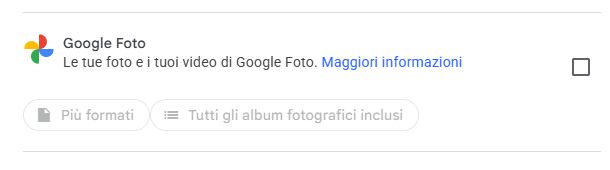
From your export to a gallery on your PC
- 1
Choose Google Photos
Open Google Takeout, deselect all and select Google Photos. Next step → one-time export → ZIP → Create export. Download every archive from Google’s email.
Google Takeout - 2
Extract the ZIPs and keep files together
Extract the ZIPs, keeping photos, videos and JSON files together. Open the folder in Photo JSON Rescue on Windows to reunite photos with available information in a new copy.
- 3
Open and check your copy
Open photos and videos on your PC, check the collection is complete and keep a second copy on another drive before deleting anything.
- 4
Free up space if you choose
Then open photos.google.com: select only verified photos and videos → Trash. Check your Google account storage. Emptying trash deletes permanently: do this only after checking both copies.

What is a JSON file?
It is a small text file that may accompany an exported photo. It can contain details added in Google Photos, such as a date or place, when available. Photo JSON Rescue matches it with the photo and creates a new copy with available metadata; it does not make up missing details.
Go to checkoutAfter checking your copy
Open the gallery on your PC and check a few dates, places, and videos. Keep another backup copy too. If you want to free space in your Google Account, read Google’s instructions first: deleting from Google Photos may also remove the same items from devices with backup enabled. Takeout downloads a copy and does not delete your content.
Google Takeout and JSON photo files: common questions
Does Google Takeout delete photos from Google Photos?
No. Exporting creates a copy of your data and does not delete it from your Google Account.
Is a JSON file a photo?
No. It is a text file with extra details that may be associated with a photo, such as dates or places.
Can the software restore every date and location?
It restores information available in the photo metadata or matching JSON file. If a date or place is absent from the files, the software does not invent one.
Can I delete photos from Google after exporting?
First check the files on your PC and keep another backup. Read Google’s instructions: deletion may sync to devices where backup is turned on.